Images
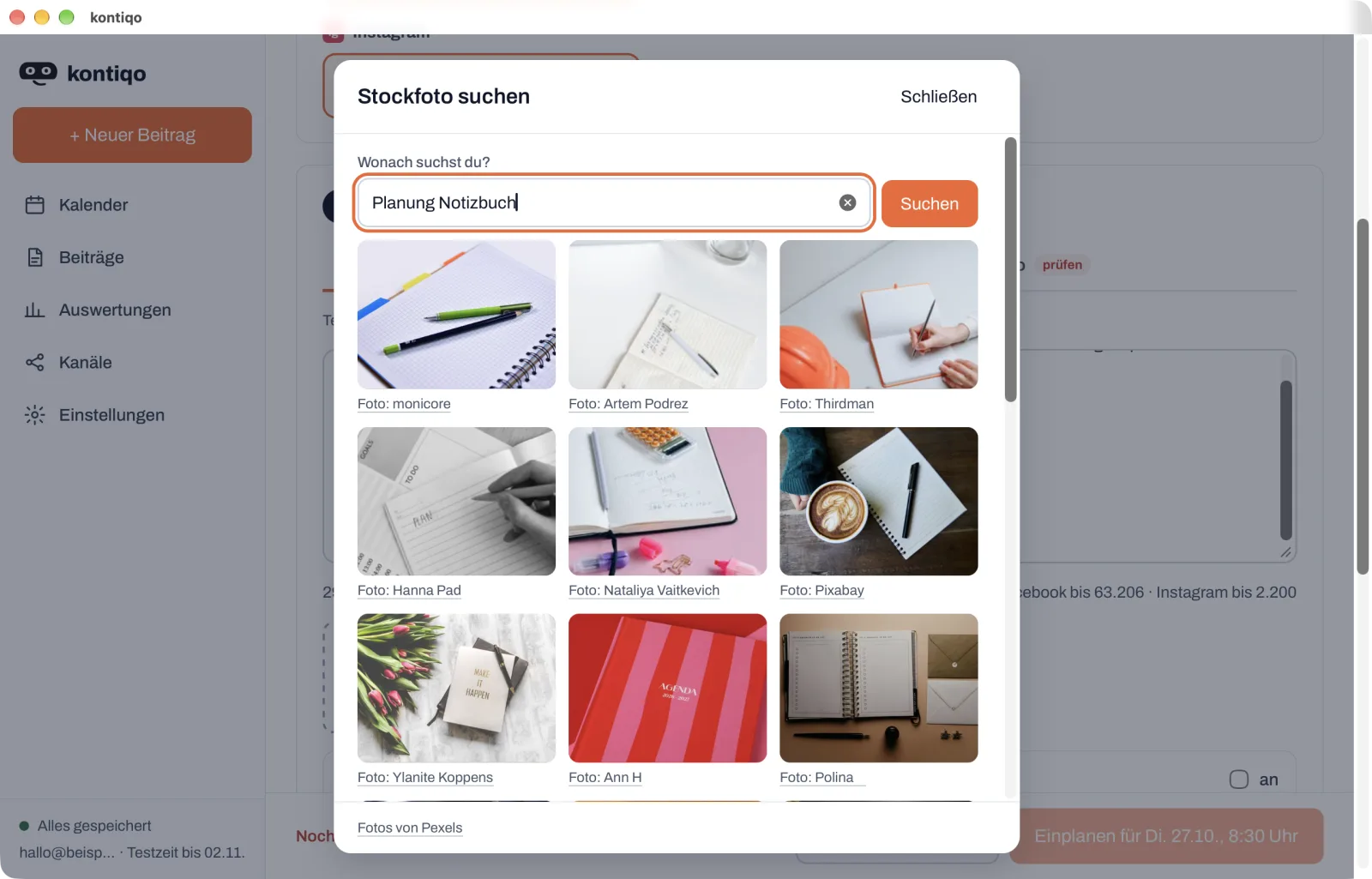
The right image without leaving the editor.
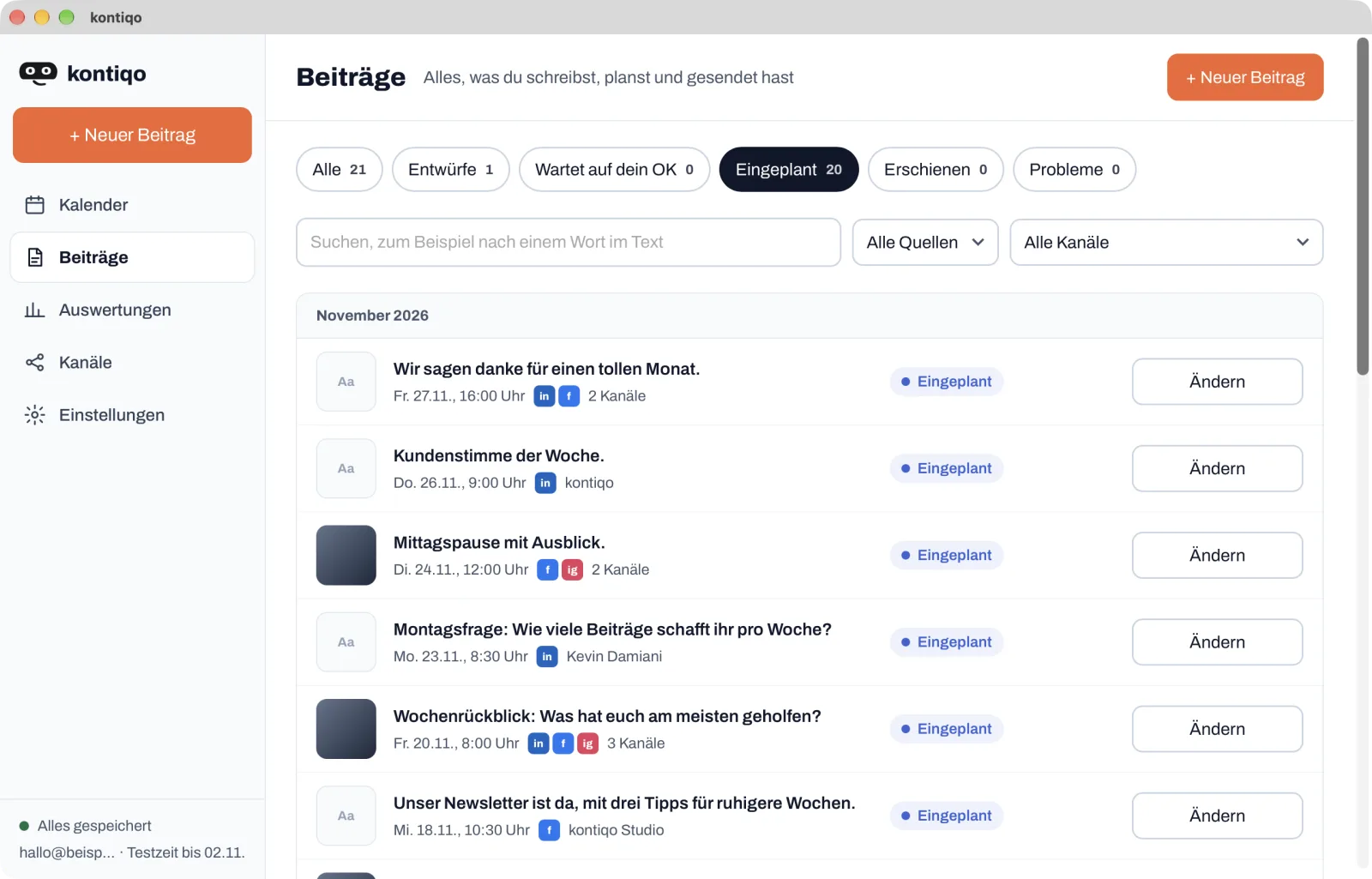
Search stock photos from Pexels right in the editor, with credit to the photographers. Bring in designs from Canva the same way, and add your own images, videos and PDFs from your computer.
For freelancers and small businesses
No more creating every post separately in Meta Business Suite and on LinkedIn, and no more coming back every month. In the kontiqo app for Mac and Windows you write once and plan weeks or months ahead. At send time kontiqo publishes - even when your computer is off.
Hosted in Frankfurt Official platform interfaces For Mac and Windows
7 days free · No card required · Ends automatically
Publishes straight to
Sound familiar?
Facebook and Instagram in Meta Business Suite, LinkedIn separately: the same text created twice, the image uploaded twice, the time picked twice.
Without a paid subscription Instagram schedules at most 30 days ahead, Facebook 29. Preparing a whole quarter in one go is not possible; after a month at the latest you are back at it.
Instagram always needs an image or video, LinkedIn takes at most 3,000 characters, Instagram 2,200. If you do not keep it all in mind, you find out when posting.
Find a photo, design it in Canva, download it and upload it again, for every post and every platform.
One text, every channel, one send time. kontiqo publishes every post on time to LinkedIn, Instagram and Facebook, even when your computer is off.
How it works
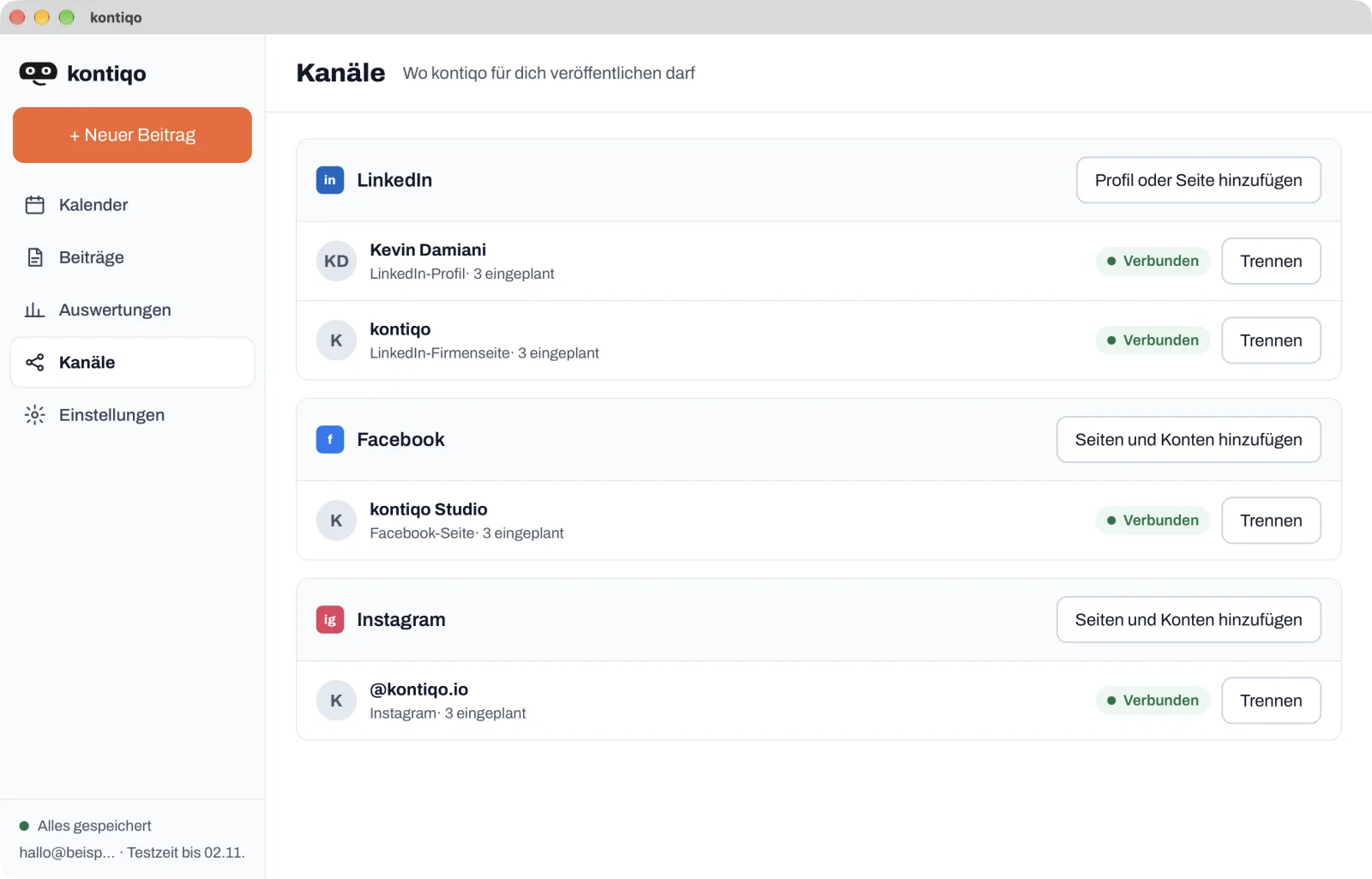
LinkedIn profile and company pages, Facebook pages and Instagram accounts - through the platforms' official sign-in.
One text for all channels or a version of its own per channel. Images, videos and PDFs from your computer, stock photos from Pexels or designs from Canva.

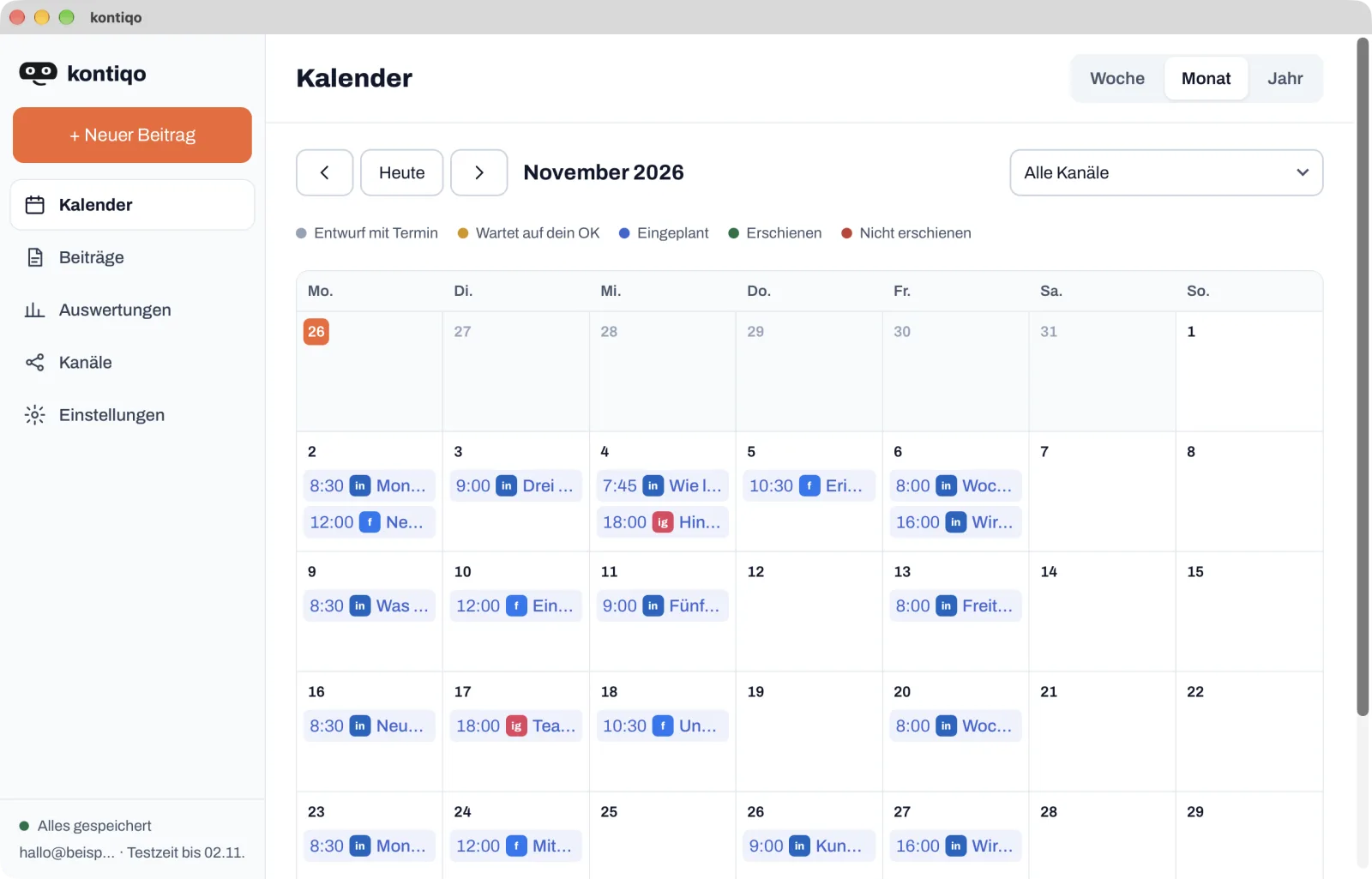
Pick a send time, done. kontiqo first checks length and media for every channel and shows everything in the calendar, by week, month or year.
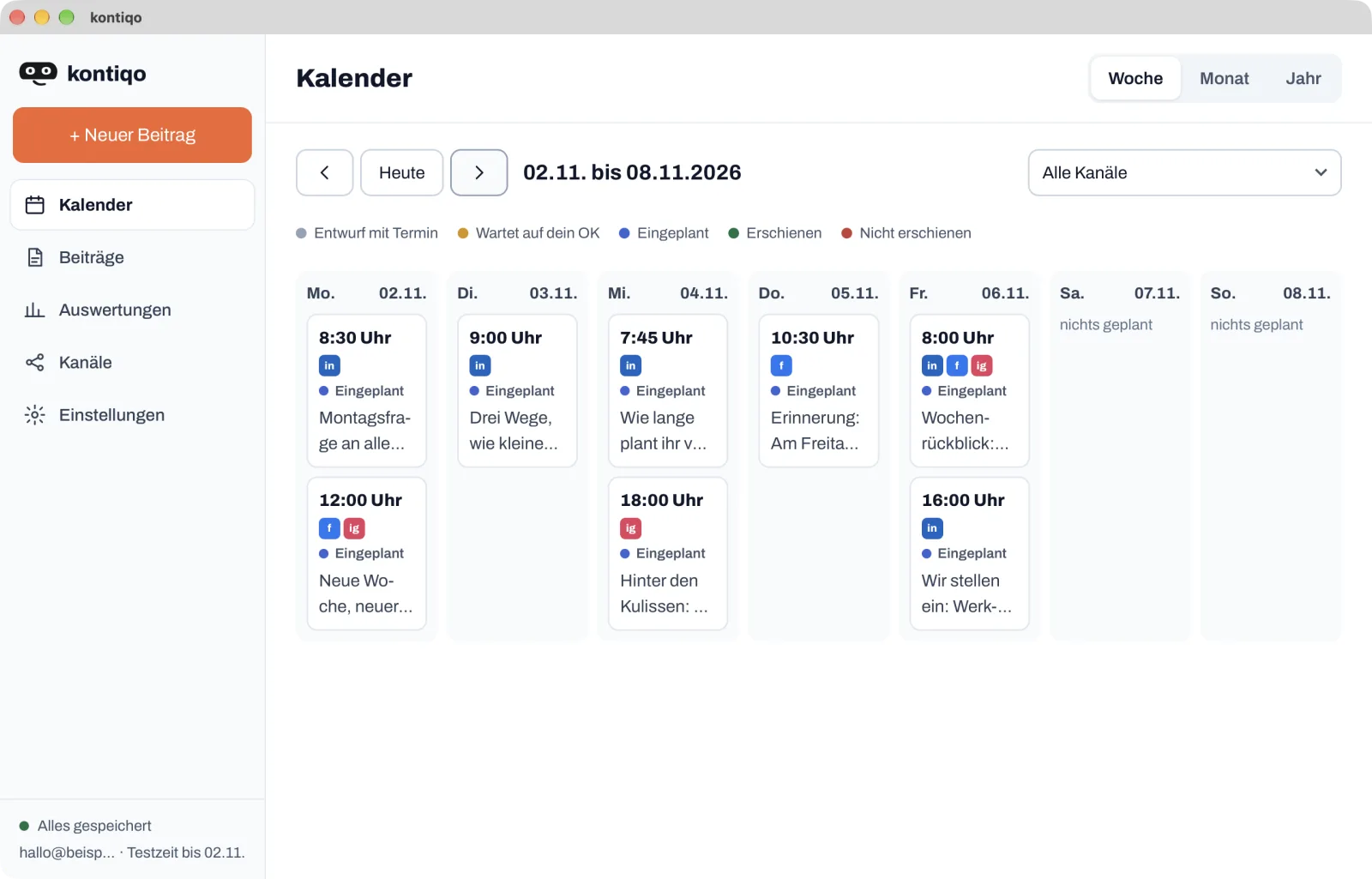
At send time our server publishes, even when your computer is off. If something goes wrong, you get an email. The statistics show what was published.
Images
Search stock photos from Pexels right in the editor, with credit to the photographers. Bring in designs from Canva the same way, and add your own images, videos and PDFs from your computer.
The preview
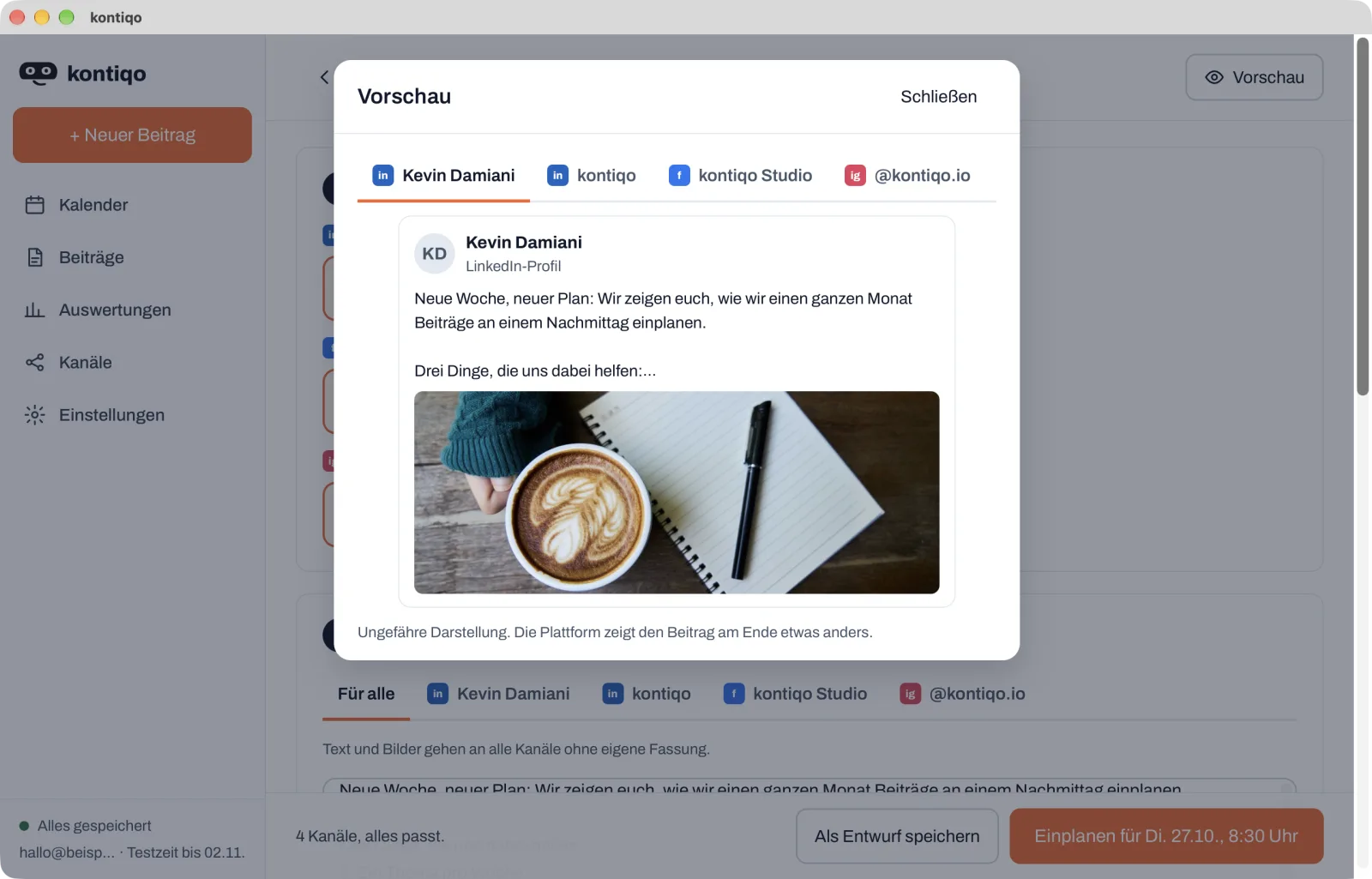
The preview shows, channel by channel, roughly how the post will look on LinkedIn, Facebook and Instagram. A cut-off sentence or an unsuitable image stands out before it is online.
What you save
An example: three posts a week on LinkedIn, Facebook and Instagram, for 13 weeks.
39 instead of 78
posts to create
One post goes to all channels in one go. Without kontiqo you create each one twice: in Meta Business Suite and on LinkedIn.
1 instead of 3
planning sessions
kontiqo sets no limit. Without a paid subscription Instagram only reaches 30 days ahead, so 13 weeks take at least three runs.
1
calendar for everything
By week, month or year you see at a glance where gaps remain, instead of checking two tools.
Calculation: 3 posts times 13 weeks makes 39 posts. Meta Business Suite handles Facebook and Instagram in one go, LinkedIn is scheduled separately. Limits without a paid subscription according to the help pages of Instagram and Facebook, as of October 2026.
All channels in one app. Your LinkedIn profile and company pages, plus Facebook pages and Instagram accounts - planned in one place instead of each platform separately.
Further than the platforms. kontiqo sets no scheduling limit. Plan the coming weeks and months in one afternoon.
Images without detours. Search stock photos from Pexels, bring in designs from Canva and, if you like, put your logo on every image.
More than a post. First comment for links, polls and PDF documents on LinkedIn, resharing through further LinkedIn accounts, collaborators and trial reels on Instagram.
Sent reliably. At send time our server publishes, with up to three attempts. If a post is not confirmed as published, you get an email.
Your data in Frankfurt. Server and database are in Frankfurt am Main, and no AI runs on them. We delete a post's text and media after sending.
Your AI plans along
You have been drafting your posts with Claude, Le Chat or Grok for weeks and then copying them into every platform by hand? Connect your AI to kontiqo once. From then on it puts the posts straight into your calendar, in the same chat where you brief it anyway.
ChatGPT from Business, Enterprise or Edu. Other AI apps with MCP and OAuth sign-in use the same address.
Without an AI you miss nothing: everything works on your own in the app too.
Turn my notes into three LinkedIn posts for next week, each in the morning, and schedule them in kontiqo.
Done. Three posts are in kontiqo, waiting for your OK:
Why kontiqo
Because every platform has its own limits and you start from scratch for every channel.
| What | With kontiqo | Without kontiqo |
|---|---|---|
| How far ahead | No platform limit, months ahead too | Without a paid subscription: Instagram 30 days, Facebook 29 days; LinkedIn 3 months |
| Where you plan | LinkedIn, Facebook and Instagram in one app | Meta Business Suite for Facebook and Instagram, LinkedIn separately |
| One post for several channels | Write once, schedule for every channel | Create it separately in Meta Business Suite and on LinkedIn |
| Images | Stock photos, Canva and your logo right in the editor | Design in Canva, download, upload per platform |
| Does the post fit? | Length and media checked per channel when scheduling | Check each platform yourself |
| When something goes wrong | Up to three attempts, then an email | Check yourself |
Limits without a paid subscription according to the help pages of Instagram, Facebook and LinkedIn, as of October 2026. With the Meta One Advanced subscription, Meta schedules Facebook and Instagram up to a year ahead.
Pricing
Cancel any time, effective at the end of the paid period, the yearly subscription after its first year with one month's notice. Prices include tax.
7 days free · No card required · Ends automatically
The founder
One path, one conviction: creating content has to become more human. A developer by conviction - I build products that feel as if they were made for you. Because they are.
Technology should not replace people but amplify their unique voice.
 Kevin DamianiFounder & CEO, kontiqo
What you want to know before you start.
kontiqo schedules and publishes your posts to LinkedIn, Facebook and Instagram. You write them in the kontiqo app for Mac and Windows, set the send time, and at send time our server publishes.
No. You write and plan yourself in the app. If you like, you can also connect Claude, Le Chat, Grok or another AI app with MCP and let it help with scheduling. ChatGPT supports this from ChatGPT Business up.
No. You search stock photos from Pexels right in the app, without an account of your own. If you use Canva, you connect your Canva account and bring designs into the post.
No. Our server stores a post until it is sent and publishes it through the platforms' official interfaces.
7 days, no card. The trial ends by itself; after that you need a kontiqo license. There is no free plan.
Yes. You connect your LinkedIn profile and your LinkedIn company pages, plus as many Facebook pages and Instagram accounts as you like.
Server and database are in Frankfurt am Main. We delete a post's text and media after sending; details are in the privacy policy.
Yes, in your account. The monthly subscription and the first year of the yearly subscription end at the end of the paid period; the license stays valid until then. After that, the yearly subscription ends one month after you cancel, and we refund the full months until the end of the paid period pro rata.
Connect your channels, write your posts, schedule - 7 days free.
7 days free · No card required · Ends automatically